Cherry Studio - Desktop AI Client
Chat settings option
In the 兆投算力 Console under System Settings -> Chat settings, you can add the following quick option to enable one-click fill to Cherry Studio from the API Keys page:
Info
🍒 Cherry Studio is a powerful desktop AI client designed for professional users, integrating 30+ industry-specific AI assistants to meet various work scenario requirements and significantly improve work efficiency.
- Official Website: https://cherry-ai.com/
- Download: https://cherry-ai.com/download
- Documentation: https://docs.cherry-ai.com
兆投算力 Integration Method
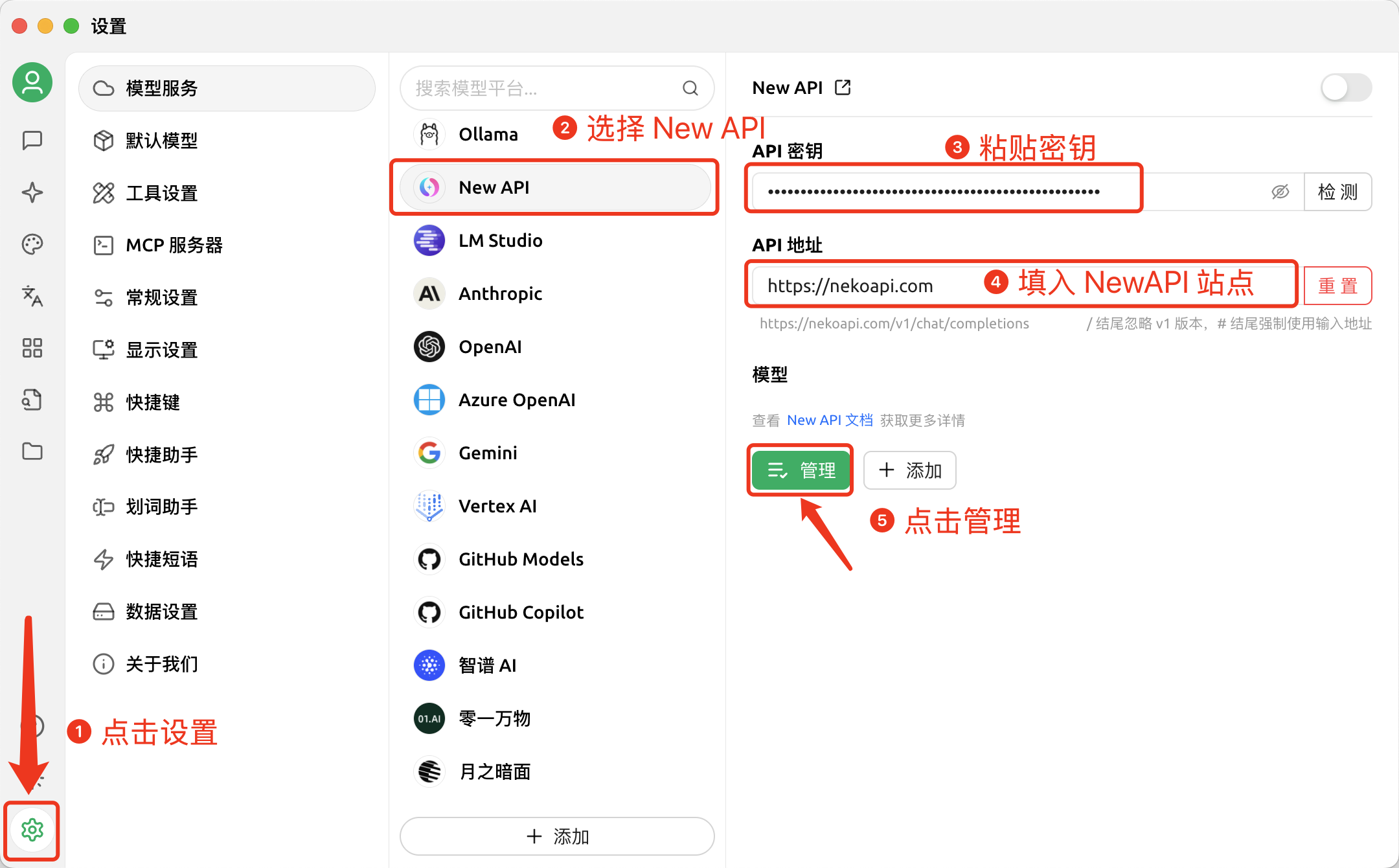
Parameter Configuration
Provider Type: Any type supported by 兆投算力
API Key: Obtain from 兆投算力
API Host: 兆投算力 site address
Step-by-Step Guide
-
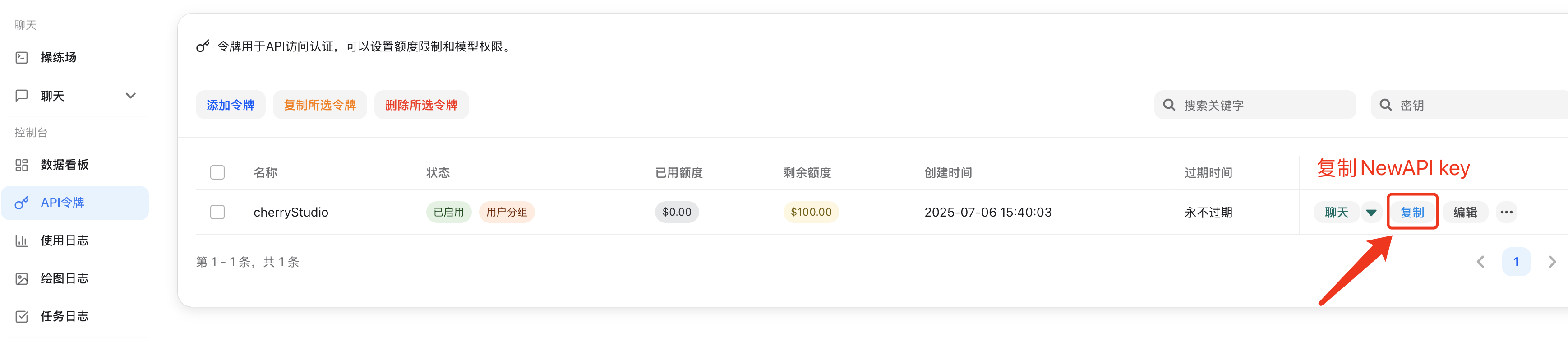
Copy API key from 兆投算力
-
Add Provider
-
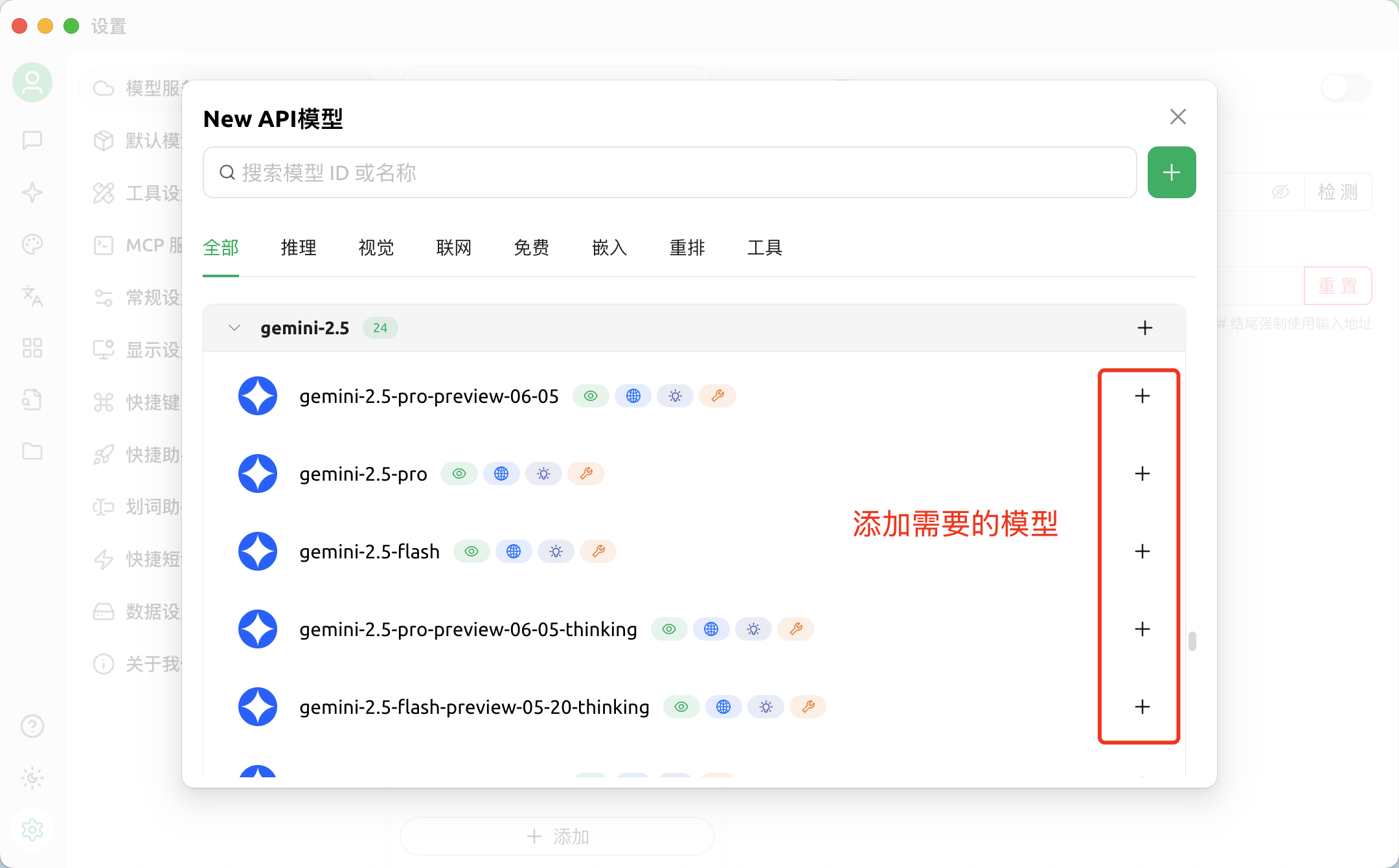
Add Models
-
Return to Chat Page
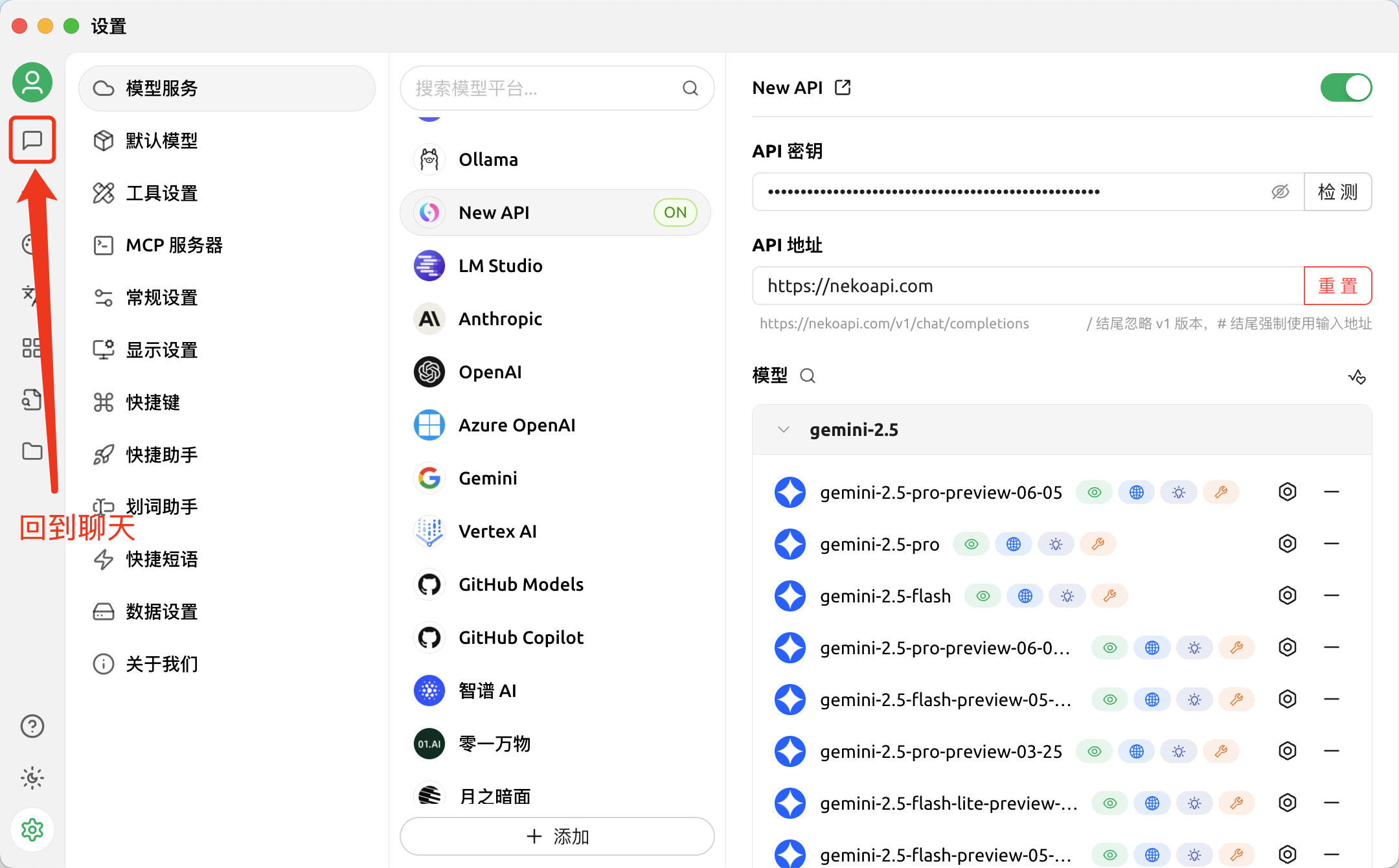
-
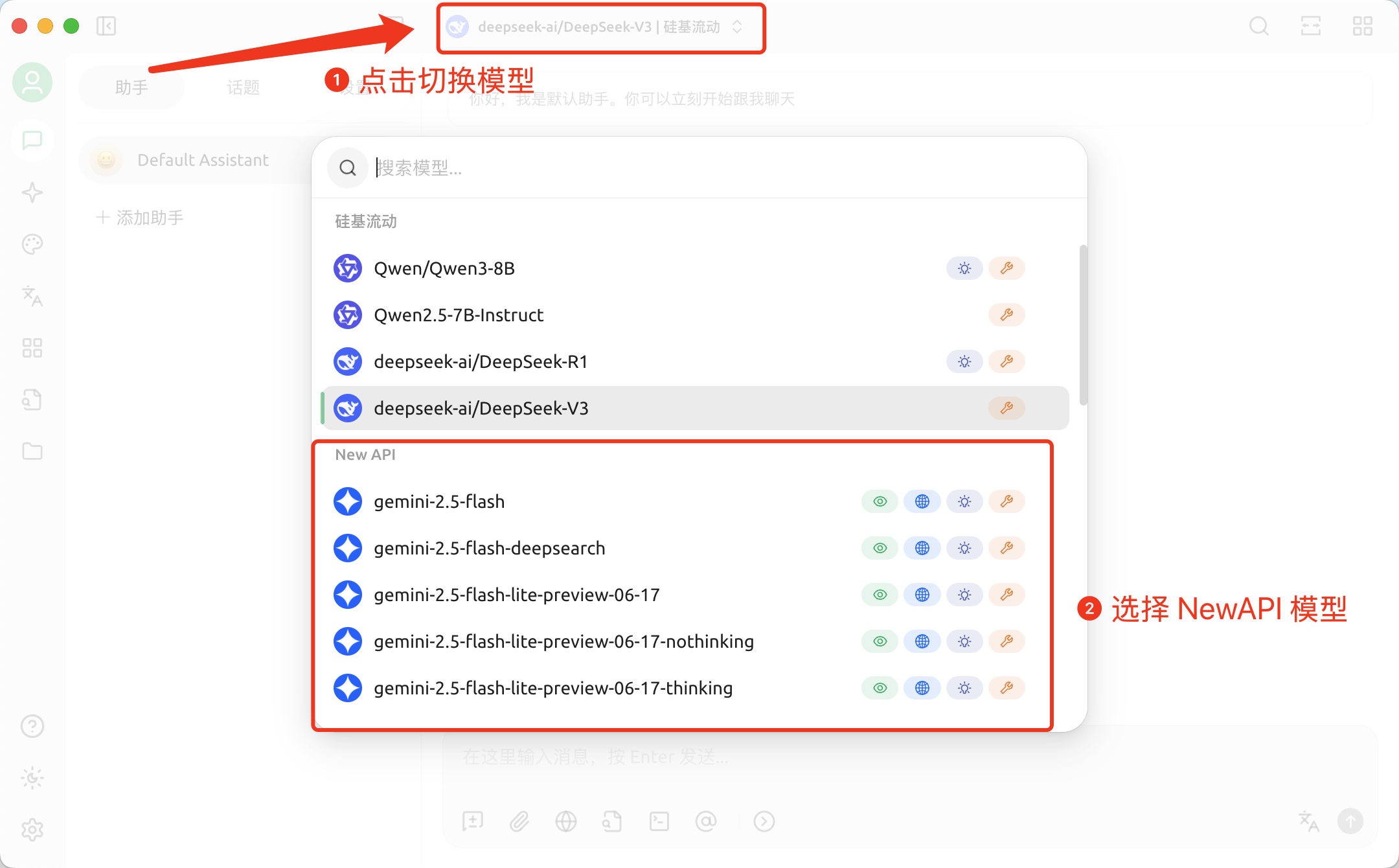
Switch to 兆投算力 Model
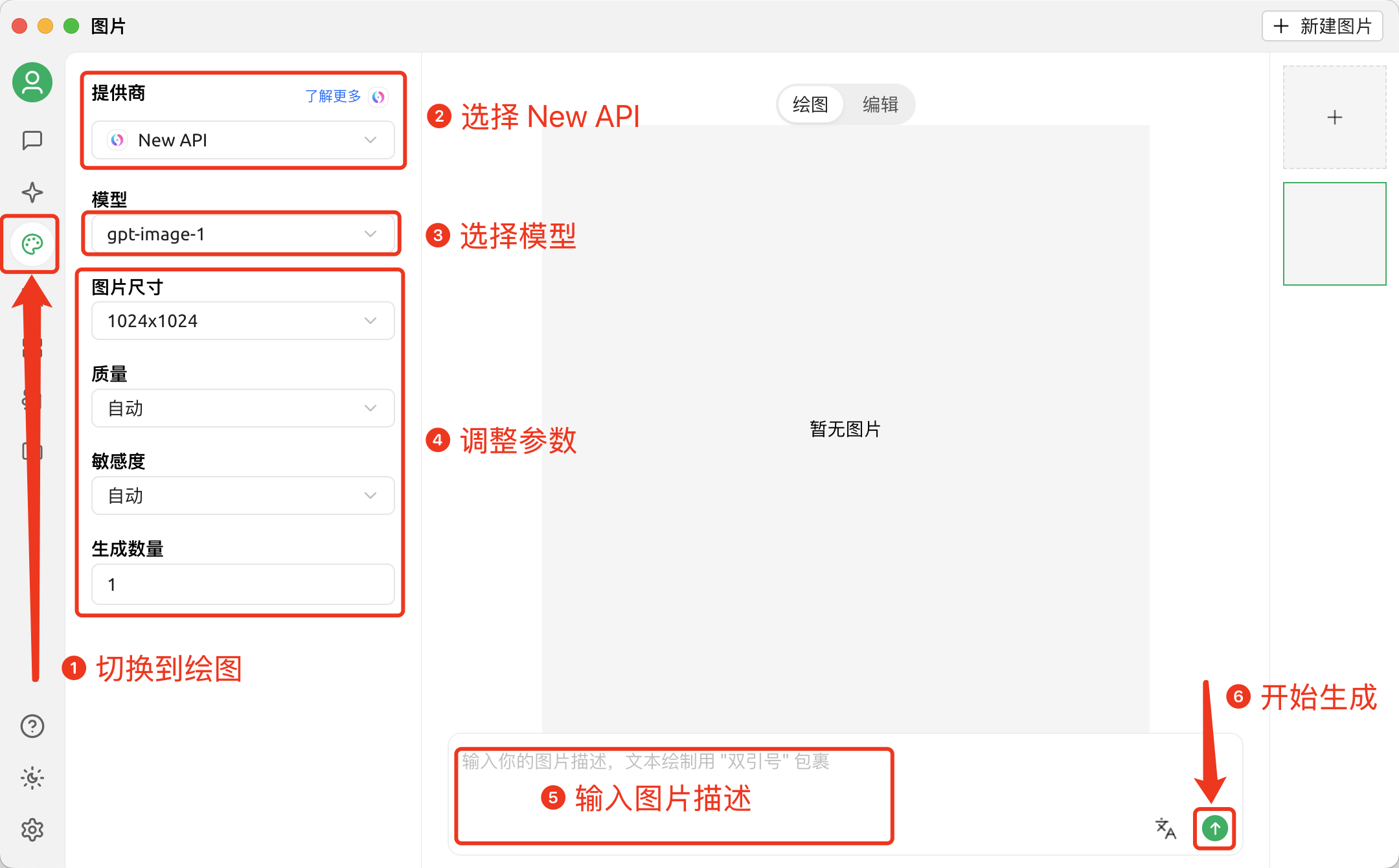
Drawing in Cherry Studio
First, you need to configure an API provider that supports drawing
-
First, add models that support drawing
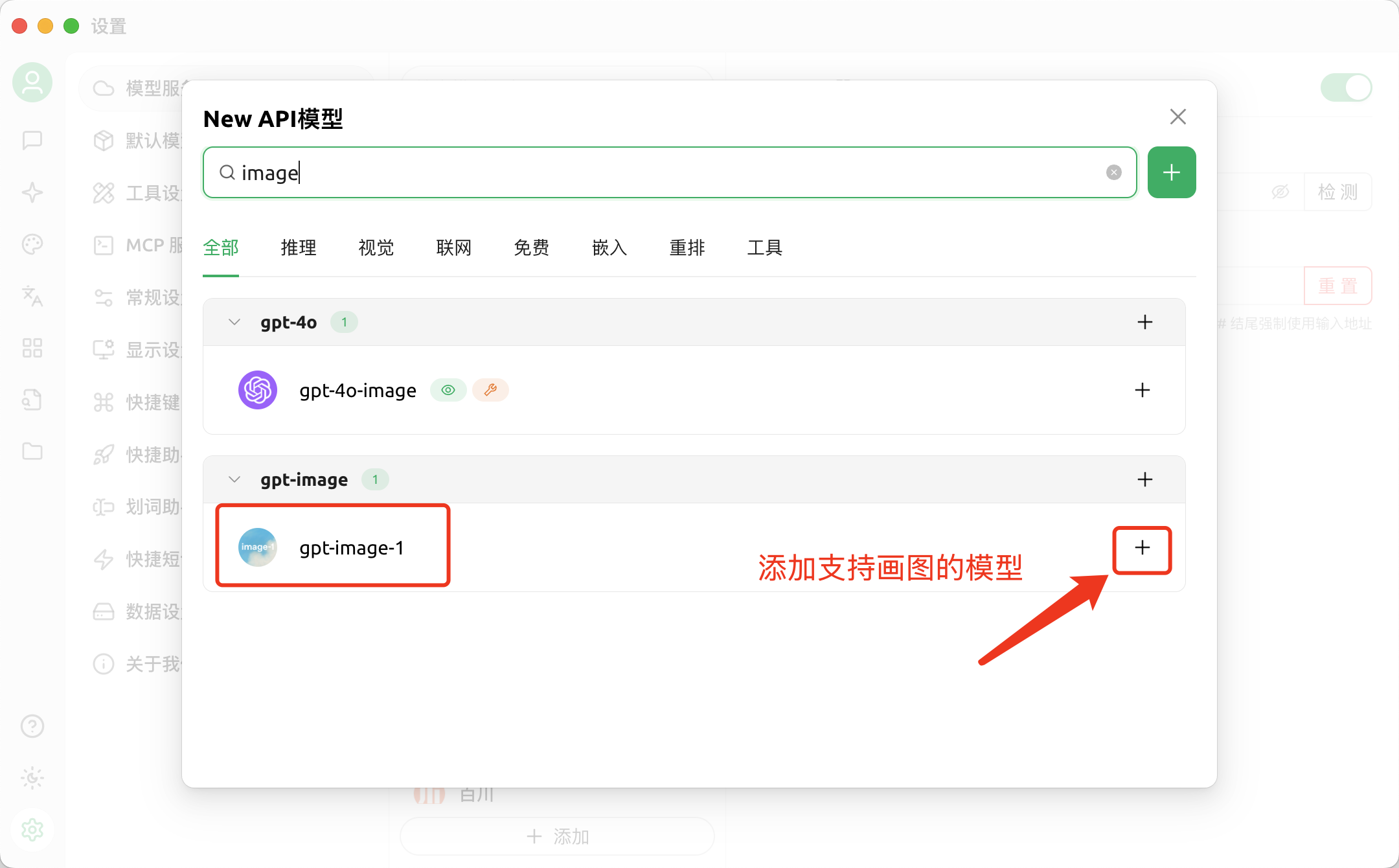
-
Drawing